top of page
AI Search term analysis
is the review of real user search queries that triggered ads, used to optimize targeting, exclude irrelevant traffic, and discover high-intent keyword opportunities.
Connect Ad accounts

Review analysis quality and impact: number of problematic words or terms detected, percentage of affected impressions and estimated wasted spend
Monitor account connection status and track analysis execution
Create new AI Brief
.png)
Set the business context for search-term analysis, with the option to define it manually or generate it automatically with AI. Add a company overview and competitor names, or let the AI infer them based on your website and publicly available information.
Add your services and products or let to AI make it.

Let rules control AI decision-making. Set clear, editable instructions that control how the AI evaluates and excludes search terms, either manually or by generating rules with AI.

Add concrete keyword examples to refine AI decisions and ensure consistent exclusion behavior across similar search terms.

See how the AI works and how its analysis is performed.

The right table breaks all search terms into individual words (N-grams) and aggregates them across the entire dataset to reveal frequency, coverage, and potential impact on impressions and cost.
This part answers the question: "Which words are systematically causing low-quality or high-risk traffic?"
The left table analyzes individual search terms that triggered ads. Each row represents a real query and shows its performance impact (impressions, cost) and current decision state.
This part answers the question: "Should this specific search term be excluded, and why?"

Resizable split view — table width control.
Allows the table layout to be resized horizontally by dragging the divider between the two tables.
Adapts the layout to the user's current focus.
Expands one table while proportionally reducing the other.
Preserves visibility of both datasets without switching views.
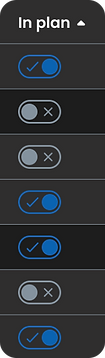
Add or remove terms from the negative planner
Include or exclude individual search terms


Add filter to focus on impressions, cost, category, or status
Create and manage a negative keyword planner
The Negative Planner bridges the gap between analysis and execution by turning analytical decisions into a ready-to-use structure for Google Ad.

When the word consistently brings irrelevant traffic across multiple search variations and contexts.
Exact match. When a very precise query is irrelevant, but similar phrases may still perform well.
Phrase match. When a specific phrase indicates unwanted intent, but broader variations may still be relevant.
Stay informed about new AI-generated suggestions that improve performance while identifying areas of wasted spend and savings opportunities.


This product turns complex Google Ads data into a clear, controllable workflow. By combining transparent AI logic with manual control, it helps teams understand why decisions are made, not just see the results. The system is designed to scale from individual search terms to pattern-level insights while keeping users in control of every step, from analysis to execution. The result is a practical tool that reduces wasted spend, improves decision-making, and builds trust in AI-driven optimization. It empowers marketers and teams to act with confidence, knowing that every optimization is explainable and aligned with business goals.
bottom of page